
Can I customize my notifications in the Community of Practice?
Can I customize my notifications in the Community of Practice?
Absolutely! Here's how:
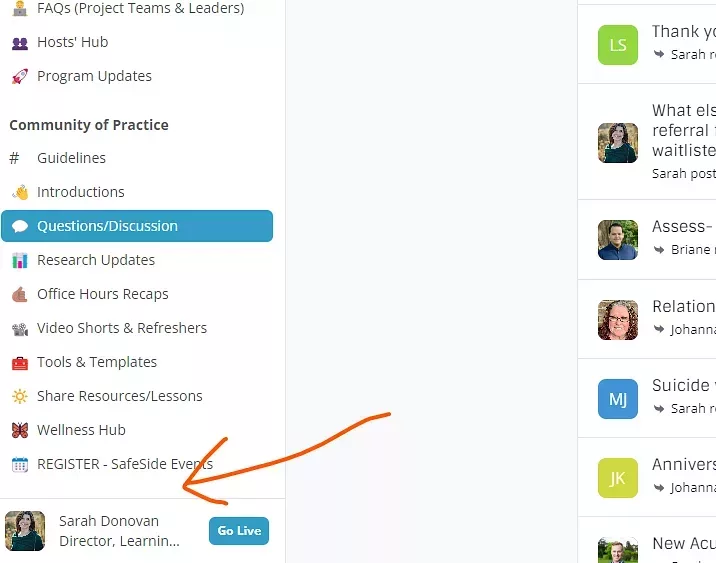
1) Go to the Community of Practice from your SafeSide Account. Click on your name/picture in the lower left corner.
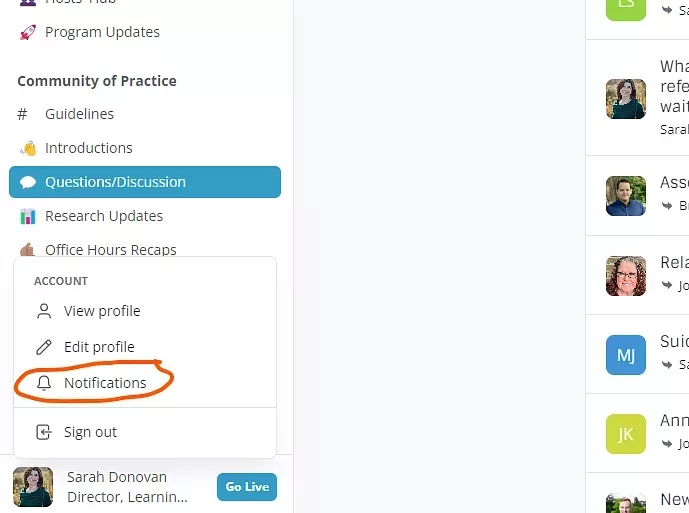
2. Select notifications.
3. Use the checkboxes to decide where and how often you receive Community of Practice notifications, including the option to turn off all notifications in the lower left of the window (although we hope you don't do that! 🙃)
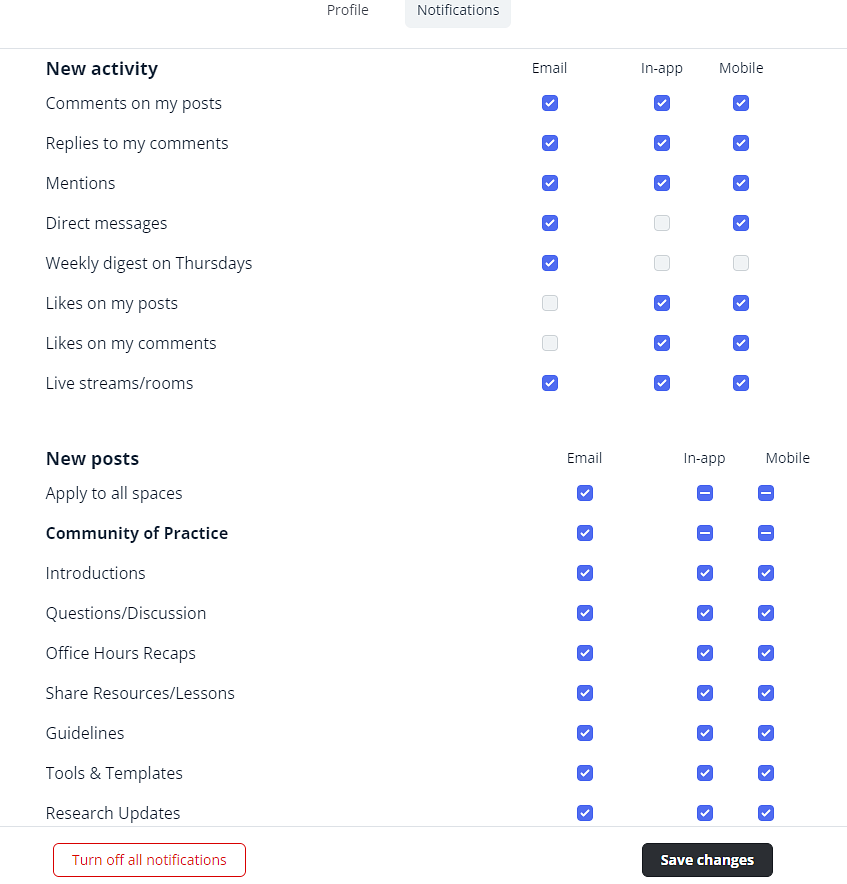
Note you can edit your profile including your timezone in this same window under profile.
If you need any further help, you can reach us at [email protected].