
Where can I review my organization's completion reports and data?
SafeSide provides real-time completion reports and summaries of evaluation data to project leaders. Completion reports can be exported and data summaries can be downloaded as PDFs for sharing with interested parties.
📊Ready to access your data?
1️⃣ Login to your SafeSide Account at www.safesideprevention.com/login
2️⃣From your SafeSide Account Dashboard, click on Reports (see below).
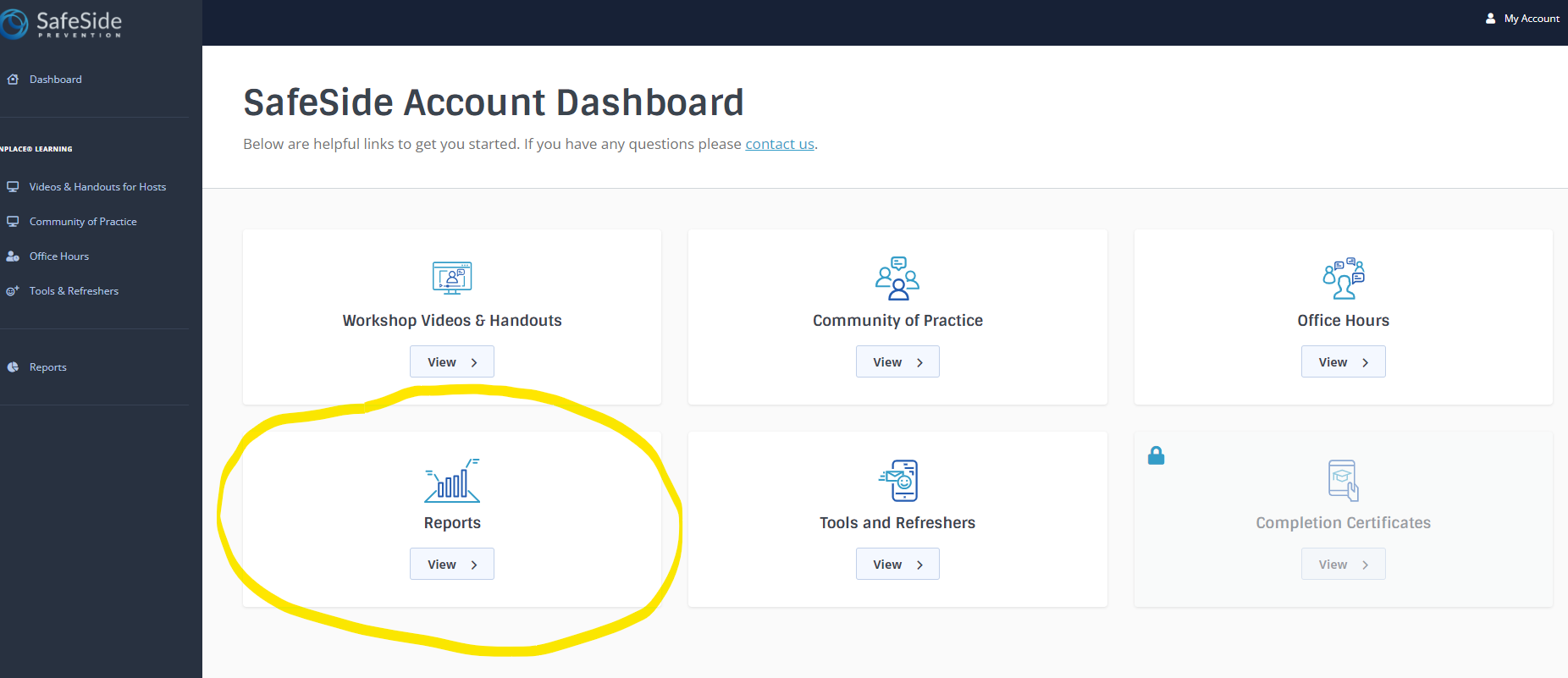
3️⃣Click on the desired report or data summary to view or download.
Completion Reports provide a list of email addresses, names and dates of when people completed the evaluation which can be exported in a CSV file.
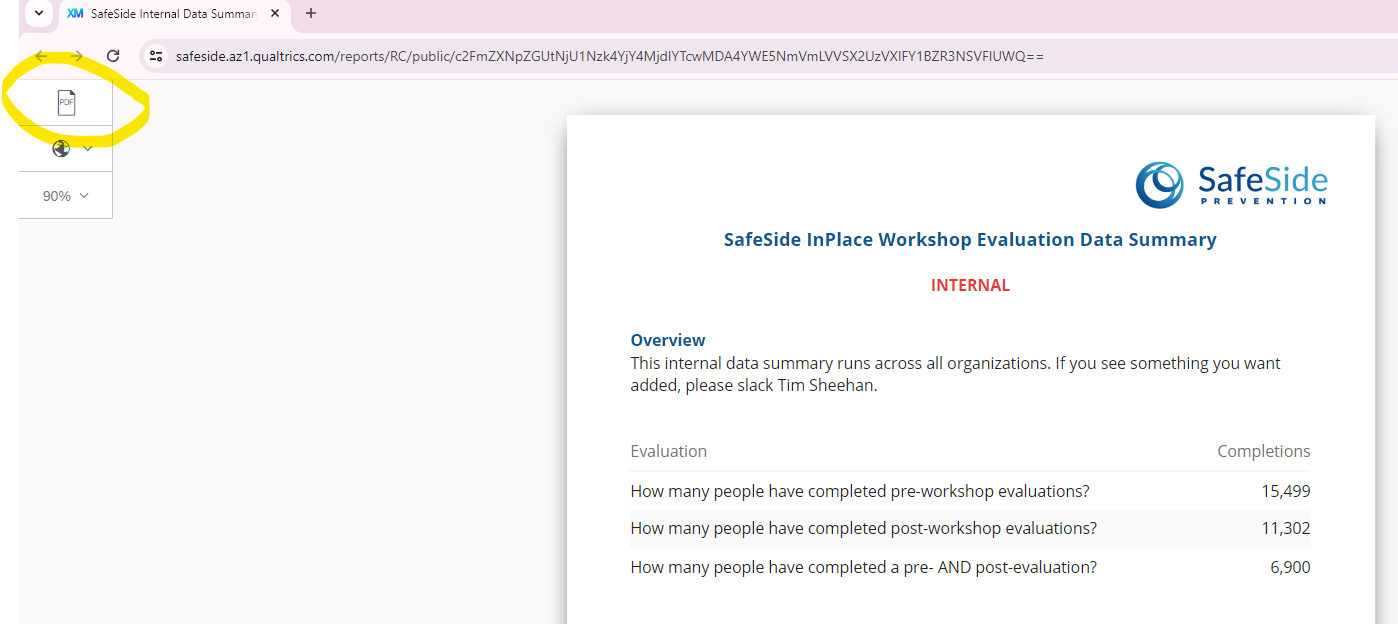
Data Summaries provide a real-time summary of outcomes and impact from the workshop for your organization, including knowledge, self-efficacy, learning transfer, impact and satisfaction. In the upper left corner of the page you’ll see an option to export as a PDF (see image below).
❓If you have any difficulty accessing your reports, contact [email protected]
📆To schedule a meeting with SafeSide to review your data, contact [email protected]
Related:
What is measured as part of SafeSide Prevention’s standard evaluation?